When you're shopping for an industrial microscope camera for lab imaging, you're often choosing between two very different priorities: capturing fine detail in a still frame or watching live motion without stutter. The HAYEAR 4K 51MP camera at $256.88 and the HDMI 1080p 60FPS camera at $59.64 sit at opposite ends of the price range, and the right one depends on what your microscope work actually demands.
Quick Verdict
If you need the highest possible resolution for detailed inspections and don't want to compromise on image clarity, the HAYEAR 4K 51MP is the winner. If you want a budget-friendly camera that outputs at 60fps and supports both HDMI and VGA monitors, the HDMI 1080p 60FPS camera is the smarter pick.
Comparison Table
| Feature | HAYEAR 4K 51MP | HDMI 1080p 60FPS |
|---|---|---|
| Price | $256.88 | $59.64 |
| Price Bar | ||
| Output | HDMI, USB2.0 | HDMI, VGA |
| Resolution | 51MP | 1080p (2MP) |
| Frame Rate | Not specified | 60fps |
| Lens | 180X C-Mount Lens | Included lens |
| Mount | C/CS | Not specified |
| Brightness Control | Not specified | Auto/Manual |
| Working Distance | Not specified | 55-180mm |
| Field of View | Not specified | 2.4-18mm |
Where Each Camera Wins
The HAYEAR 4K 51MP wins on resolution. With 51MP stills and 4K output, it's built for seeing fine details clearly. It also comes with a 180X C-Mount Lens and a C/CS mount, giving you flexibility to swap in compatible lenses. The USB2.0 output adds another way to connect it to a computer.
The HDMI 1080p 60FPS wins on price, frame rate, VGA output, and brightness control. At $59.64, it costs a fraction of the HAYEAR, yet still pumps out smooth 60fps live video. Its HDMI and VGA outputs make it easy to hook up to a range of monitors, and auto/manual brightness control means you can adapt to different lighting conditions on the fly.
Product Notes
HAYEAR 4K 51MP Industrial Microscope Camera
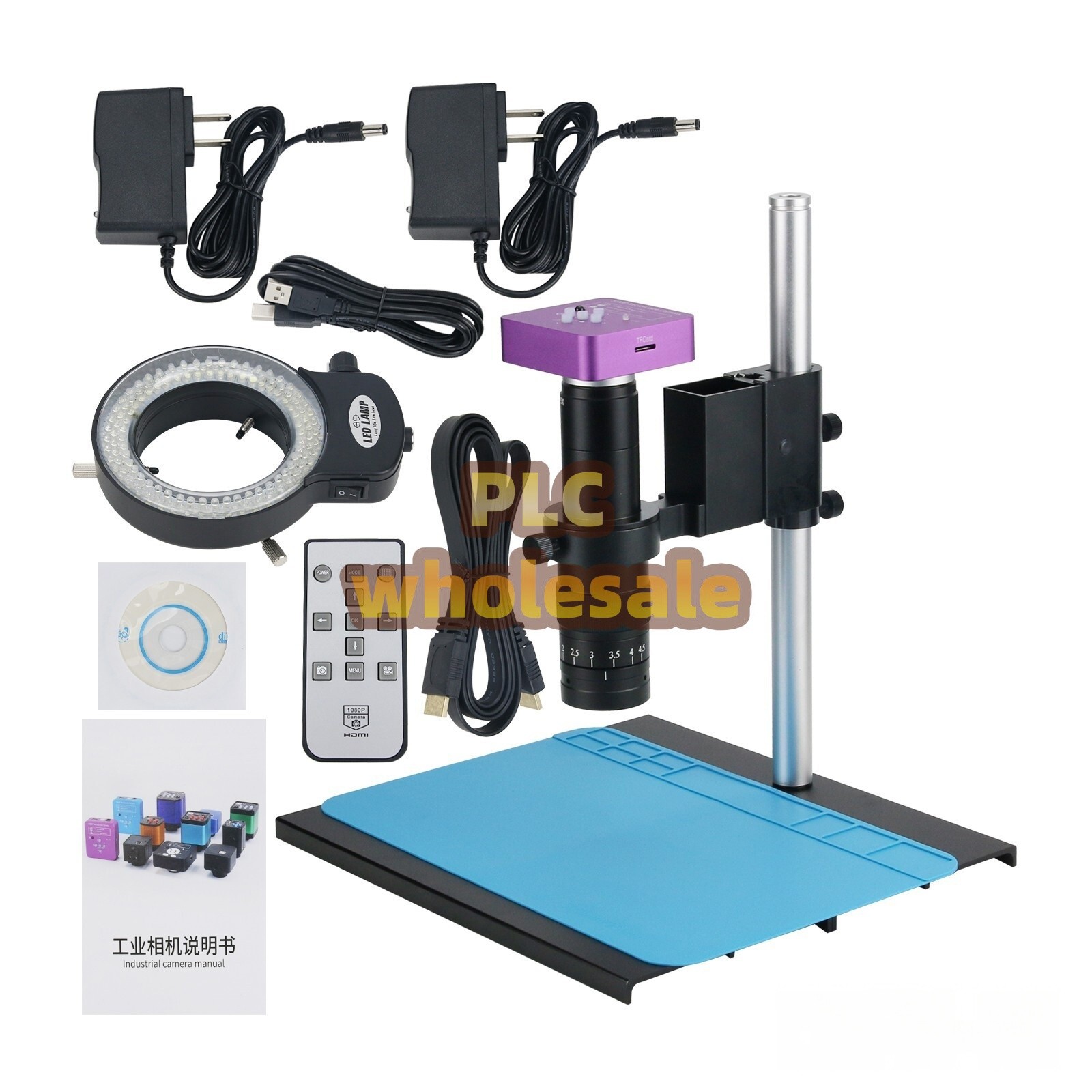
This is the higher-priced option at $256.88, and the main reason is the 51MP image resolution and 4K support. It comes with a 180X C-Mount Lens and the camera body uses a C/CS mount, so you have flexibility in choosing compatible lenses. The output includes both HDMI and USB2.0, making it useful for both live viewing and direct computer capture. For lab imaging where you need to resolve fine details in a still frame, this is the camera to pick. The downside is the lack of a stated frame rate, so if you're working with moving specimens, you don't know how smoothly it will keep up. It's also about four times the price of the other model, which may be overkill if you only need basic live monitoring.
HDMI Video Microscope VGA Camera HD Industrial Digital USB Lens 1080p 60FPS
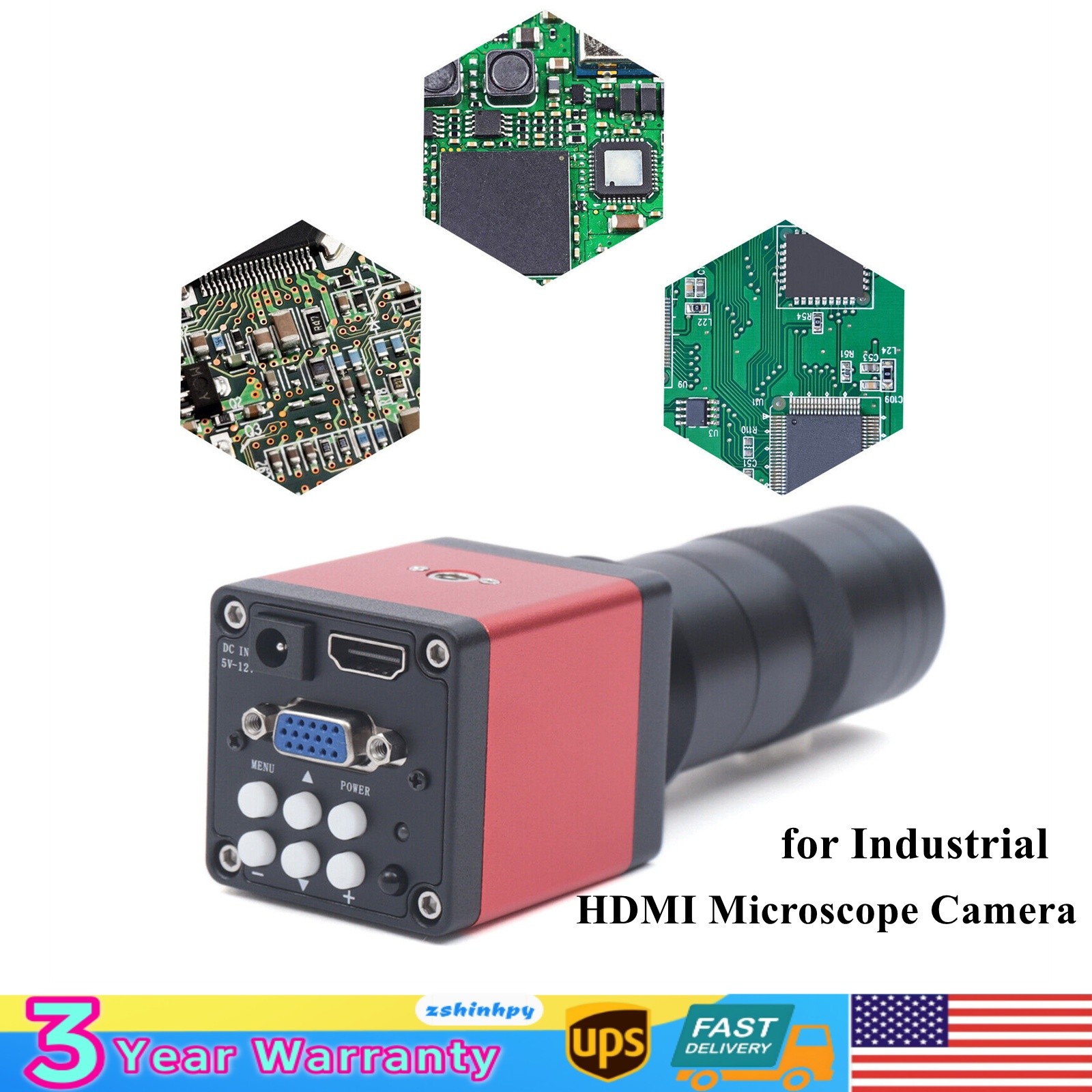
This 1080p camera at $59.64 is the budget-friendly path into lab imaging. It outputs over HDMI and VGA, so it can hook up to many monitors without extra adapters. The 60fps frame rate is the standout feature for live observation-fast, smooth visuals for moving parts or adjusting samples. It also gives you auto/manual brightness control, and its metal shell feels more industrial than the price suggests. The optical magnification is 0.12x to 2x with about 8x-130x digital magnification on a 70cm monitor, and the working distance spans 55-180mm. The limitation is resolution: 1080p is roughly 2 million pixels, which is far below the 51MP still capability of the HAYEAR. If you need to capture high-detail still images or do fine measurement, this isn't the one. But for live viewing on a monitor at a very low price, it gets the job done.
Final Choice by Use Case
- Detailed still inspection: Go with the HAYEAR 4K 51MP. Its high resolution and C-mount lens make it the better fit for capturing sharp, detailed images.
- Smooth live viewing on a budget: The HDMI 1080p 60FPS camera is the clear pick. The 60fps frame rate and VGA/HDMI outputs give you a fluid, low-cost monitoring setup.
- Mixed lab work: If you move between still captures and live observation, the HAYEAR offers more flexibility with USB2.0, but if budget is tight, the 60fps camera will cover most routine viewing tasks.
Choose based on whether your priority is pixel detail or smooth motion-and how much you want to spend. Both are new industrial microscope cameras, but they serve different roles in a lab.